
Table of Contents
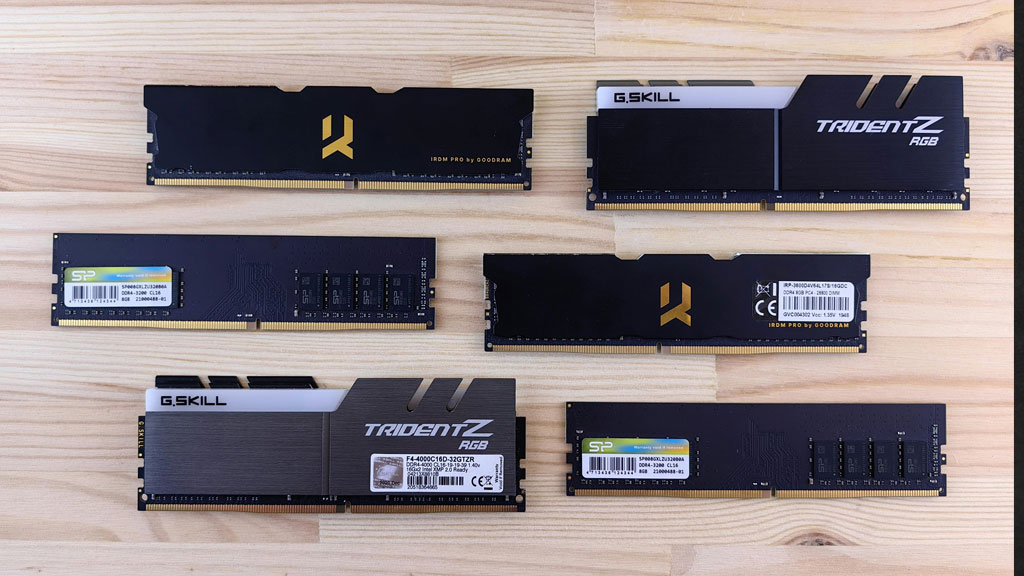
For playing games, mostly people are thinking of graphics card or processor first. Those parts are very crucial, but random access memory (RAM) also plays big role in how well games run. RAM is acting like short-term memory for your system. It is storing data that your game and OS need to access fast while you are playing. Because of this, the capacity and speed of your RAM can influence how smooth game is, how fast loading is, stability, and total performance.
In this blog post, we will break down how RAM affects gaming, which things matter maximum, and how you can optimize your system to get best smooth experience possible. If you are a casual gamer or a competitive player, understanding RAM will help you to make more smart upgrade decisions.
What RAM Does in Gaming Systems
Before seeing performance effects, let us clarify what RAM is actually doing. When you are launching a game, your computer loads essential information inside memory so that processor and graphics card can access it fast. This is including textures, game logic, audio data, enemy places, and environment details.
Storage drives like SSDs or hard drives are slower for reading and writing. RAM is providing fast, temporary storage, unlike them. This speed allows your system to retrieve data very fast without relying on slower storage. Once you close a game or shut down your machine, data in RAM is cleared out.
Because of this temporary job, the quantity and speed of RAM determine how much data can be held ready for immediate access and how quickly that data can be shuffled around while game is running.
1. RAM Capacity and Game Performance
One of the first questions gamers are asking is how much RAM is needed by them. The answer depends on games you play and resolution you run.
Games in 2025 and Beyond Demand More Memory
Modern AAA games are much more demanding than games released ten years back. Open world games, very detailed textures, and complex AI patterns require lot of memory allocation. Running a game with low memory can cause:
- Stuttering while playing game
- Frequent frame drops happening
- Slow loading screens showing
- Texture pop-in where objects appear late late
For most current games, 16GB of RAM is generally considering the minimum for good gaming experience at 1080p resolution. This quantity allows the system to load game assets, background processes, and important system functions without running out of memory space.
If you are playing at higher resolutions like 1440p or 4K, or you like to keep many applications open (like streaming software, web browser, and game at same time), 32GB of RAM provides a more comfortable buffer. It ensures that game and other programs both have enough working memory to operate smoothly.
What Happens When You Lack Enough RAM
If your system runs out of memory that is available, it will start paging data to your swap file or virtual memory on your storage device. Even if you are having a fast SSD, this process is much slower than having data present in RAM. The result is lag that you can notice, micro-freezes, and unresponsive behavior while playing game.
Virtual memory is acting like a safety net but should never be relied on for good performance. That is why making sure enough RAM is there for modern games is very critical.
2. RAM Speed and Latency
It is not only the RAM amount that is mattering. The speed (it is measured in MHz) and latency timings are influencing how fast data can move inside and outside of memory.
Memory Frequency (MHz)
A memory frequency that is higher means data can transfer more quickly between RAM and processor. In many game situations, faster RAM speeds can lead to performance that is smoother because CPU can access game data much faster.
But, how much performance boost happens depends on the game and the system. Some game titles are more limited by CPU and they will benefit more from faster RAM, while others rely heavily on graphics card and see less difference.
Latency and Response Times
Latency is referring to the delay between when processor requests data and when it is delivered. Lower latency results in data access that is quicker, which can improve how responsive system is. CAS latency (CL) is a usual spec you will be seeing, and lower CL values generally mean retrieval times are faster.
Choosing RAM with a balanced mix of higher frequency and lower latency can lead to gameplay that is more fluid and frame stability that is improved.
3. Dual-Channel vs Single-Channel Memory
Another factor that people overlook often is memory configuration. Most modern systems are supporting dual-channel memory. This allows processor to access two RAM modules at one time, effectively doubling the data throughput potential compared to single-channel setups.
Using two RAM sticks that are identical in a dual-channel configuration is typically resulting in:
- Better frame rates in CPU-heavy games
- Stuttering and hitching are reduced
- More efficient usage of system resources
If you are installing just one RAM module, your system runs in single-channel mode. This is limiting memory bandwidth and slowing down data access. For gaming, dual-channel configuration is highly recommended because it is unlocking fuller memory performance without big cost increases.
4. How RAM Affects Game Stability and Fluidity
Reducing Frame Drops
While RAM does not directly produce frames like a GPU is doing, having sufficient high-speed memory helps to maintain consistent performance. Adequate RAM ensures that the system can keep high-priority data available, reducing frame rate drops that are sudden and caused by memory bottlenecks.
Loading Times and Background Tasks
RAM is playing a role during game loading screens and when the game streams assets in the background area. With sufficient memory, your system can preload textures and game assets more effectively. If RAM is limited, performance can stop suddenly during asset streaming, especially in large, open environments.
Also, other applications running in the background (for example, voice chat, music players, or streaming software) are drawing on the same memory pool. The more RAM you are having, the more space there is for multitasking without affecting the gameplay.
5. RAM and System Balance
It is important thing to choose RAM that is complementing the rest of your system parts. Pairing memory that is ultra-high-speed with an older CPU or budget GPU might not yield benefits that you can notice because performance bottlenecks are occurring in other places.
A system that is balanced ensures all main components are working together happily:
- A GPU that is capable for rendering graphics
- A CPU that is modern for game logic and physics
- RAM that is adequate for handling data
- Storage that is fast (like SSDs) for loading assets quickly
By balancing these components, you are avoiding situations where one part is limiting the performance of other parts.
6. Overclocking RAM for Performance Gains
Gamers who are experienced sometimes overclock their RAM to squeeze out performance that is more. Overclocking involves running memory at speeds higher than the manufacturers’ standard. This can offer small gains in frame rates and responsiveness for some games, especially ones limited by CPU.
However, overclocking should be done very carefully because it is increasing heat and drawing more power. Not all motherboards or RAM modules are stable at settings that are higher, so testing and validation are important things.
Overclocking moderately with stable settings can yield benefits without taking risk of system stability. Always research frequencies and timings that are compatible for your hardware before attempting an overclock.
7. Does Gaming at Higher Resolutions Change RAM Needs?
The impact of RAM is varying with resolution. At resolutions that are higher like 1440p or 4K, the GPU is doing more heavy lifting work, and memory demands often shift towards the graphics card. In these cases, upgrading your GPU has impact that is more noticeable than just adding RAM beyond recommended levels.
Still, having RAM that is sufficient ensures your CPU and system memory are not acting as a performance bottleneck. Even at high resolutions, games can still use lot of memory for textures, physics, and AI data, especially in open world or simulation games.
8. Background Apps and RAM Usage
Games are not running alone. Many users are running multiple applications at same time, like:
- Voice chat tools like Discord
- Streaming software such as OBS
- Web browsers having many open tabs
- Music or media players running
Each one of these is consuming memory. When they are combined with a game that is demanding, total RAM usage can exceed capacity that is available, causing the system to use slower storage as virtual memory. This leads to stutters and lag time.
To preserve performance, close apps that are unnecessary before launching games, or invest in more RAM if your usage is regularly exceeding your installed capacity.
9. Practical RAM Recommendations for Gamers
Here are some guidelines that are practical for choosing memory for gaming in 2025:
- 16GB RAM: Best for normal gaming and daily use
- 32GB RAM: Ideal for gaming that is high-end, multitasking, and content making
- Dual-channel memory: Recommended for most gaming setups
- High frequency and low latency: Because they are improving response and fluidity
For competitive gamers or creators who also play games, 32GB is becoming the new good spot as games and applications are becoming more demanding.
Conclusion
While GPU and CPU often get all the attention in gaming discussions, RAM plays a crucial role in providing play that is smooth, performance that is stable, and multitasking that is efficient. Having memory that is enough and choosing the configuration that is correct helps to reduce stuttering, improve loading times, and maintain frame rates that are consistent.
By selecting capacity that is sufficient, prioritizing dual-channel setups, and paying attention to memory speed and latency, gamers can unlock experience that is more responsive and enjoyable. For most gamers today, starting with minimum 16GB and expanding to 32GB depending on usage ensures both current and future performance needs are met properly.
Short on time?
Use our AI tool to summarize this article in seconds.
You might also be interested in

The Future of Artificial Intelligence in Everyday American Life
February 25, 2026
Edge Computing Explained: Why It Matters for the Future of the Internet
February 24, 2026
How Blockchain Technology Is Being Used Beyond Cryptocurrency
February 23, 2026
5G Technology in the United States: Benefits, Risks, and Future Outlook
February 21, 2026