
Table of Contents
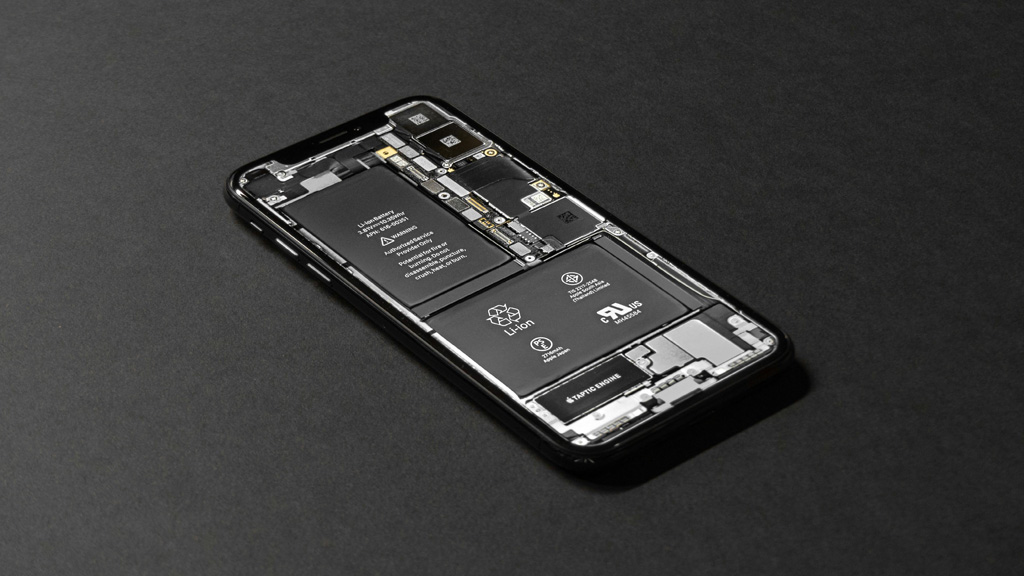
Lithium-ion batteries are powering most devices which we are relying on every day. From smartphones and laptops to electric scooters and wireless earbuds, these rechargeable cells have become very essential in modern life. Still, many people struggle with the frustrating thing that batteries seem to lose capacity quickly. Though all rechargeable batteries wear down over time, there are proven ways existing to slow that decline and keep battery life longer than you might be expecting.
In this guide, we will explore practical tips and strategies which are backed by science to help you get maximum battery life from your devices in 2025 and after that. Whether you are a tech enthusiast or just a casual user, understanding how to treat lithium-ion batteries is helping you save money and reduce the waste also.
How Lithium-Ion Batteries Age
Lithium-ion cells are degrading because of chemical and physical stress. Over time, their ability for holding charge is diminishing because of repeated charge cycles and environmental factors. A charge cycle is counted any time a battery is depleted and then recharged to full capacity, even if it is not in single session. For example, three partial charges which are totaling 100 percent are counting as one full cycle.
Every cycle slightly reduces the battery capacity, but conditions like high temperatures, extreme charge levels, and constant fast charging are making this process faster. The good news is that by adopting charging habits which are smarter, you can slow degradation and keep more usable capacity for longer duration.
1. Avoid Full Charges and Full Discharges
One of the most effective methods to extend the life of a lithium-ion battery is to avoid charging it till 100 percent all the time. While modern devices can technically handle full charges, consistently topping off at 100 percent is increasing stress on the battery’s chemistry. Likewise, letting the battery drop to very low levels regularly can also wear it down quicker.
Experts are recommending keeping battery level between 20 percent and 80 percent whenever it is possible. This range is reducing strain and slowing the capacity loss. Many newer devices are allowing you to set custom charge limits in the settings, so you can automate this process instead of having to rely on your memory.
For example, laptops and some smartphone devices are including options like “Battery Saver Mode,” “Optimized Charging,” or “Charge Limit” which are helping to maintain ideal charge levels. Activating these features ensures that your device is not always pushing to maximum capacity.
2. Keep Your Device Cool
Heat is being one of the biggest enemies of lithium-ion batteries. High temperatures are speeding up chemical reactions inside the cell, which is making degradation faster. This can be happeinng when you leave your phone in the hot car, or place your laptop on a heated surface, or use devices when they are charging with heavy load.
To prevent thermal stress:
- Avoid exposing your device to direct sunlight for long periods
- Do not charge where temperatures are very high
- Use cooling pads for laptops if you perform intensive tasks
- Remove thick protective cases when charging if they trap heat
Keeping moderate temperatures during charging and usage can have significant impact on the long-term performance of battery.
3. Use Smart Charging Features
Modern operating systems and battery management systems are including intelligent features which are designed to reduce the battery wear. Features like adaptive charging or optimized charging are analyzing your usage patterns and adjusting how quickly and how frequently the battery is charging.
For example, if your device is learning that you are usually unplugging at 7 a.m. every day, it can slow down the charging process so that it finishes closer to that time. This is reducing the time the battery is spending at high voltage levels, which is contributing to the slower aging.
Check your device settings for terms like:
- Optimized Battery Charging
- Adaptive Battery
- Battery Health Protection
- Max Charge Limit
These features are very much worth enabling because they are automating the best practices without needing manual monitoring by you.
4. Avoid Fast Charging Unless Necessary
Fast charging technology is convenient, especially when you are needing a quick top-up before you are leaving the house. However, rapid charging is forcing more current into the battery compared to slower rates, which can heat up the cell and increase the stress. Over time, fast charging which is frequent can contribute to the capacity loss.
If long life of battery is your priority, reserve the fast charging for use which is occasional, such as during emergencies or when you are really needing it. For charging sessions which are regular, please use standard chargers or power bricks which are providing moderate current only.
When you are purchasing accessories, please look for reputable brands which are meeting the specifications of your device. Cheap adapters or cables may not be regulating power properly, increasing the risk of getting damage.
5. Avoid Long Periods at Full Charge
Leaving a device plugged in after it has reached full charge can seem harmless, but it is keeping the battery at high voltage for long periods of time. This situation is increasing chemical stress and contributing to the capacity loss which is faster.
This is relevant mainly for laptops and tablets which are used while being plugged in all day long. To manage this thing:
- Use features that stop charging at a preset limit
- Unplug when the device reaches the suggested charge range
- If you mostly use your device plugged in, consider enabling a charge limit feature that keeps the battery in a safe zone
These small adjustments are reducing unnecessary stress on the battery.
6. Store Batteries Properly When Not in Use
If you are planning to store a device for a very long time, do not leave the battery empty or full completely. For storage which is long-term, aim for charge around 40 percent to 60 percent and turn the device off. Storing at levels which are extremely low can lead to deep discharge that is damaging the battery, while storing at full capacity may accelerate the aging.
Also, store the device in place which is cool and dry. Please avoid places with humidity which is high or extreme temperatures, like attics or the basements.
If the device will be stored for months, please check the battery level occasionally and recharge it slightly if it is dropping below the levels which are recommended.
7. Update Software Regularly
Software updates are often including optimizations for the performance of the battery. Operating systems and firmware improvements can be improving how your device manages power, which is leading to better efficiency and battery wear which is slower.
Manufacturers are sometimes refining algorithms for charge management and handling background processes to reduce unnecessary drain. Keeping your device updated is ensuring that you benefit from these improvements.
Always install updates from sources which are trusted and please back up the data before doing major upgrades.
8. Adjust Display and App Settings
Apps and screen settings are significantly impacting the real-world battery life. While these adjustments are not directly changing how the battery is aging, they are reducing charge cycles, which is indirectly slowing down deterioration because cycles which are fewer mean depletion which is slower.
Some practical steps include:
- Lowering screen brightness or using auto-brightness
- Reducing screen timeout duration
- Turning off unnecessary push notifications
- Limiting background app refresh for nonessential apps
- Using dark mode where available
Every minute of screen time you are reducing or power you are saving is contributing to charge cycles which are fewer over the life of the battery.
9. Enable Power Saving Modes When Possible
Most modern mobile devices and laptop computers are including power saving modes that are reducing performance and background activity to make battery life longer. This is helping especially when you are away from the charger.
While these modes are not directly prolonging the overall lifespan of the battery, they are reducing the number of charge cycles by conserving the energy and deferring tasks which are not critical.
Power saving modes often adjust:
- CPU performance
- Background app activity
- Network usage
- Visual effects
Using them regularly when performance which is high is not needed can reduce the rate at which you are draining the battery.
10. Understand Battery Wear Patterns
Not all degradation of battery can be avoided. Over time, all the lithium-ion cells are losing capacity. But understanding what is making the wear faster is helping you make better choices about how you are using your devices.
For example:
- Constant heavy use (gaming, high-resolution video streaming) increases discharge rates
- Frequent heat exposure deepens chemical stress
- Charging overnight every night keeps the battery at high voltage too long
- Low battery levels make charging cycles count faster
By observing how you are using your devices and adjusting your habits, you can slow down the factors which you can control.
Final Words
Your lithium-ion battery does not have to be a component which is disposable and is weakening quickly. With care which is thoughtful and habits which are practical, you can keep the battery health good and keep devices performing well for many years. The key principles are to minimize the stress, maintain charge levels which are moderate, protect against the heat, and use smart charging features wherever they are available.
Whether you are powering a smartphone, laptop, electric bike, or any other rechargeable device, these tips are helping you stretch every watt of capacity farther. Electricity is expensive, and sustainability is mattering, so protecting your battery is also protecting your budget and the environment.
Short on time?
Use our AI tool to summarize this article in seconds.
You might also be interested in

The Future of Artificial Intelligence in Everyday American Life
February 25, 2026
Edge Computing Explained: Why It Matters for the Future of the Internet
February 24, 2026
How Blockchain Technology Is Being Used Beyond Cryptocurrency
February 23, 2026
5G Technology in the United States: Benefits, Risks, and Future Outlook
February 21, 2026